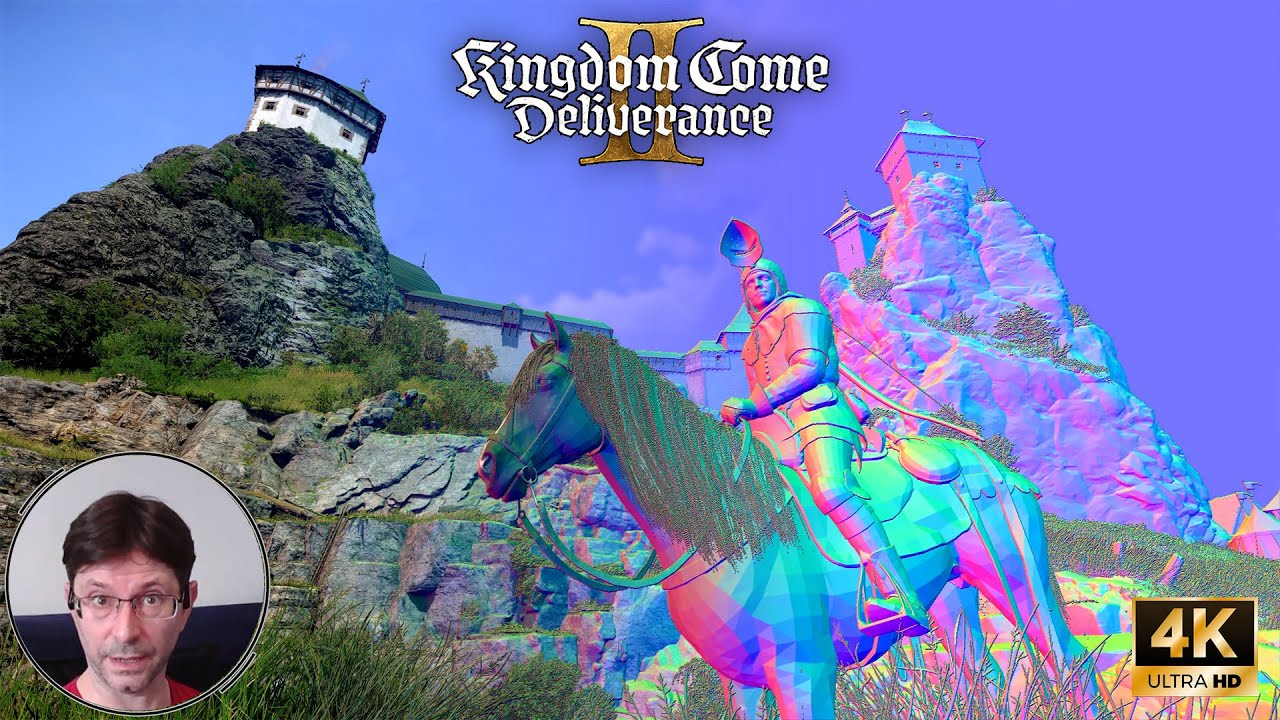
Hello, my name is David. I'm an environment artist and here we are today in Kingdom Come Deliverance 2. I'm going to have something slightly different today in that I'm going to do some mesh analysis. I'm going to look at the geometry basically. I found a tool that's very useful and something I've been looking forward to using for a fair bit actually. done a fair bit of research in order to get some wireframes going uh not as easy as you might think or at least i didn't find it that easy but uh yeah so it should be quite interesting so before we begin again i'd like to thank channel members thank you very much thank you very very much much appreciated and it's really helpful going forward so yeah that's cool and as people join I will add to this list up here and just be aware if you do join my schedule is such that I'm usually recording a week to two weeks sort of ahead of time so say if you join today then it would maybe be a week or possibly two weeks before your name would find its way into the into the credits so that's that right so let's get on uh this guy i noticed here he was stood right there playing a blooming flute in my ear when i was doing my introduction wasn't i and now he's just sat down here and he was waving to catch my attention so old matey uh enjoy your drink i can't stop because we've got some polygons to look at. So have a good day. Old chappy musician, of course. So I've chosen this bit. I know, I know I'm in Kuttenberg in the game, you know, my personal playing, but I've come back to Trotskowitz because I looked at this exact spot a few, well, sort of late last year. And we looked at the mesh. and at that point I didn't know how to access any wireframes or anything like that so I thought this is the perfect spot and we'll look at some other bits as well not just this so let's just come through this lovely little gate I love this excellent little gate and I don't know whether this is just coincidence there but there's a rock there isn't there that's almost propping this gate open a couple of rocks there isn't it probably coincidence but you know that's the thing you put there isn't it to prop it open so here we go all nice rocks so um what i'm using is uh a little utility well i'm you know it's quite popular called reshade and people if you don't know uh it's basically um an injector so it kind of injects data in between uh the game doing all its stuff and before it gets to the sort of um lighting passes and uh detail passes like bump maps parallax shaders so it's before those processes in the stack before any post post processing sort of stuff and it injects into that and you know does stuff people predominantly use it for beautifying the image in various ways and you know there's loads of presets you can do to make your game look fancier or nicer or as whatever you want you know it's all down to your personal preference but let me bring up my old reshade menu here to get the old mouse ignore the red there sometimes presets fail for whatever reason it's very much up to the whims of each engine um what's working and what's not uh i've tested it's worked on every game i've tried it with so far to varying degrees and depending on the engine and how they're processing the data in the stack before it gets actually displayed to the screen there can be differences and you know varying levels of artifacting whatever but we're not using it to prettify anything we're using it to look at stuff right so let's just look back down there what uh well let me show you we've got um mesh edges now yes the veg often obfuscates a lot here i wish i could turn the veg off completely i can't um it's just how it is isn't it but that's not vital to our purposes because what we're looking at is the roads because that's what i looked at before and other bits of incidental geometry and this is very useful for separating out what is actually mesh and what is a shader or material effect like parallax normal maps stuff like that so it's invaluable and already you can see here um you know geometry rocks actual geometries next to it that rock is in the shader that's in the material um and that is really getting boosted by the parallax shader and when i turn it off you're hard pressed to tell the difference aren't you between i mean i call them palms parallax occlusion maps that's what we called them at rockstar and that's what i always call them but you know you might call them parallax shaders all the same and that's a real rock and you know can we tell you what tell you what let us photo mode it photo mode very very very useful here so let's go down so when you zoom into this level you can see that that's a palm because the way to tell is look at that slight stretching you get on the more vertical edges of this this rock that's the telltale with poms usually and and it just has that slight stretching as it goes up and if you're sort of moving around you can kind of see some look at that there you could see how the different uv levels are scrolling okay you can see the mud on top of stuff underneath all that lot there check that out so it becomes very obvious when you're down at this level You can see the rocks. It's kind of breaking down when you get this low. And it's never meant to be viewed this low, of course. So there you go. And then you can see the rocks on top. And you can actually tell here, this sort of browny mud that's predominantly there, that is your actual base layer. And you can see that the UVs for the stuff underneath it are kind of offset down. That's how parallax shaders are working. It's multiple UV sets. And it actually kind of scrolls them in a parallax way, you know. So the underneath moves layer moves at a different rate than the top layer. So, you know, that's how it fakes this sort of thing. And it's really good, isn't it? I mean, you know, when you get at normal height for the player, it works brilliantly. It's, you know, look at all that stuff. When you go down here, you see it all. You know, the illusion breaks, doesn't it? but up at player level it's brilliant let's come out of uh yeah yes henry i'm glad you think so henry he's been listening hasn't he he's a good lad henry isn't he he's a diligent fellow and uh he listens i bet he was a good boy when he was a kid you know i bet he was uh at the forge i bet he was a great help to his dad but um so back to the viewing tool so that's um mesh edges and look you know where we were just looking at that's the mesh density and great isn't it what a technology all that stuff is it gives you so much with so little doesn't it and let's just um say at this point right um this is inferred geometry okay we're not looking at the actual mesh that the developers have exported and compiled with you know this is purely a it's a post-process thing really so what reshade is doing is it's taking the image that going to go to the screen but before any lighting and it looking at a totally 2d image It has no awareness whatsoever of vertices or anything like that or mesh or edges faces it just has no clue what this is looking at is depth into the scene so it hooks into the depth buffer so the depth buffer is the entire screen rendered let me show you it actually let me show you it with the wonderful display depth and we will just pop it on to the depth buffer that's your depth buffer there so black is closest white is furthest away it's the distance of any given pixel to the camera and that's all it needs to display this mesh i mean i'll show you this this is useful this view um but for my purposes right now this is more useful so that's all it does it looks at the distance and it can infer seams and joins in the image which really for our purposes translate to triangles polygons here all this lot here some interesting uh arrangements here but you know it's probably not like that in the mesh you won't be ever be getting a polygon that shape in engine you know everything gets rendered down to triangles at the end of the day. And so, you know, this one, this vertex here could be joined to there, and then that could be joined there, and that could be joined there to create sets of triangles, which is all the computer sees at the end of the day. You know, that's your base unit, your triangle, and defined by three vertices, of course. So, you know, it's not 100% exactly what is in the mesh that the developers have made, but it's almost a 100% match for looking at the geometry. It's nearly bang on and absolutely perfect for what I wanted to do because you wouldn't believe the hassle that I've had trying to get this mode. I searched all sorts of utilities and the wireframe mode has not been exposed in the console, in the CryEngine console for this game. You know, it seems nearly all developers strip those sort of things out when they compile it for release. Because it takes up extra space on disk. And so, you know, they will strip out everything that they can. And that goes for Unreal games as well. You know, I know there's lots of commands for wireframe and all that sort of stuff in every engine. And, yeah, in nearly all cases, they're stripped out. And, you know, I've not found a single game yet that has actually got them exposed. Maybe some indie games might do. I don't know. uh but yeah so reshade is absolutely spot on for my purposes here and i'm really excited because it you know i spent a lot of time i was giving up um but it's brilliant so you know let me just show you here right we've got generally all the terrain on this hillside will be much the same as this possibly even uh less dense than this but it's just that it's so hard for us to tell isn't it um it's very very difficult i mean look there's there's a reasonably large polygon there who knows how big it stretches over here it's almost impossible to turn with the veg and i've not been able to turn the veg off as yet maybe someone knows do you know um but that would be super handy i would love to be able to turn off all the veg that's great so all this is doing it yeah this is finding the edges of mesh and so you know the veg has a lot of edges doesn't it and so it just comes up mostly green and yellow doesn't it so this is um where it can be useful to activate display depth i can have them both on but display depth is another kind of one it kind of just lets you see more interesting things in the mesh different you can get a different view i mean it's i know it's in normal map colors uh a three color kind of thing depending on its uh facial orientation um but just ignore the colors it doesn't matter at all so let's do that there and we can bring in the underlying texture to this so let's just have a look at it in this mode um because it's very useful i think so i looked at this last time didn't i and we're looking at polygon density i'm going to stick with this view predominantly because i think this gives us the clearest view of the geometry we could go with display depth which is useful in its own way for different things so you know we'll flick between and see but you know this is much more viewable isn't it so i was looking at these right and speculating uh and you know so i was saying that they'll be putting track templates down which are pre-made sections of a nice road that someone's made and then they'll be strung along probably strung along splines uh for the route and indeed this burrs out my suspicions here because look we've got general terrain which is still very very useful uh you know the material that they're using has got obviously got different uv layers and different things can get painted on it and here we've got on and you know with more vertices you've just got tighter control of those different uv layers and what you're painting on them You know, so let's just disregard that for now. And I was speculating that they'll be using decals on top of the underlying geometry. And I mean, they are. It's just that in the CryEngine, decals can go as a separate UV layer on the same mesh. So you don't need extra mesh. like for instance on gta 5 and rdr2 we made decals as separate pieces of mesh so that you would see another piece of mesh on here and we would offset it one centimeter above the ground and it would have transparent edges and so you could you know have whatever you wanted on that usually tire tracks and stuff so you know it's stuff like these these little bit of decals here these directional tire tracks and just in the cry engine you know they're just on a different uv layer that's all and so you know you i think you can you can go up to like eight uv layers in the cry engine but hardly anyone ever does that because it's just wouldn't be very optimal so four layers is your usual sort of thing and one of those layers will have your um sort of ao and stuff on it and that leaves you with you know like at least three layers to play around with so one of them will be the main underlying sort of earthy texture whatever that is i mean it could be this one here or it could be just this sort of generic mud underneath and then you've got two more layers so you know directional tracks will be on one of those layers and then probably things like this sort of more um pebbly gritty sort of surface there will be on another one um but with mesh edges we can see that it's all one mesh uh you know we've just different stuff painted into it as far as we can tell anyway but look at the density here you know you've got all sorts of cuts supporting the vertex painting that's going on and look look at this one here as it's going over there you can see the edge there following the tracks you can see it roughly following the direction of those cart ruts and look here you know you've got supporting edges following these directional lines going down all down here and this is interesting isn't it where you can see where there's some slight mesh slip-ups going on here and stuff isn't quite sort of well it's not really been stitched up properly so you've got stuff sticking up like all here and one of the other things this is where our display depth preset comes in handy i've lost my mouse come here mouse there you go off with that and on with the display display depth so our depth buffer here right so we've got the textures shining through underneath it but let's turn that off because it's a bit clearer when you see gaps like this here so that's just not stitching stuff up correctly and but this is the main culprit because this this caught my eye in the first video i did on it um it a dead giveaway that these are templates and indeed they are you know if we check that out it just as far as i could see um that a gap in the mesh i mean you could speculate that it might be a texture atlas and just a bit of rounding and accuracy at the edges of the uvs it looks to me like mesh especially as we're looking at the depth buffer here so we're looking at the distance of a pixel to the view i.e us and there's a clear difference in distance here so that that strongly suggests that that's actually a geometry gap and if you look the more you look the more you see this because look here we are back on sort of more um low-res terrain back onto the template there and look looky here there it is again and looky here there it is again and looky here there it is again it's everywhere and i'm really surprised actually because i mean look at it it just keeps keeps going on and on doesn't it it's all and all and i'm really surprised at this because that sort of stuff would not fly rockstar that would not get past quality control or for that matter bizarre creations going way back uh i don't know what's going on i mean you know i love this game and i'm always singing its praises but you know these things um are interesting and they tell us a lot and it's surprising um that's really bad practice and i don't know how that got through to the final game uh because you know someone should be picking that up and if you've done that and you're like you know job done okay i'm done it's up for review uh let's submit it shouldn't be that shouldn't be happening uh you know because it's quite literally happened all over wherever that same template is used see we're off template now you can see the mesh there so let's go back to let's pop the old mesh edges on so we're back to sort of more generic less detailed terrain here and it's solely relying on vert painting to get these different sort of things all this different detail um looks like the uh preset is breaking down a bit in these sections here because uh i'll be very surprised if that was one one polygon i mean it can't be because of its shape i mean that that would make a massive end gone a many-sided polygon and it's just that doesn't happen um you'll end up with all sorts of unpredictable triangulations of that sort of stuff so you know let's let's not um you know blame that sort of stuff on the developers because yeah that's clearly a display issue there and i'm not quite sure why it does that but you know let's just reshade pop it on here does this give us any more inkling i mean it does doesn't it look you can see it's harder to see but it does show you these edges here like that and you know that's telling you more about the underlying geometry in those cases so let's just pop that off there and run it but it's really informative isn't it it gives you it shows you what you can do and shows you how much work materials are doing doesn't it here we pop on mesh edges again well let's just go to a bit more of a realistic arrangement and you know there's quite low density and a lot of high detail and it's all materials and this is how modern games work nowadays that you know we just do nearly all the detail with materials the technology for materials has come along tremendously and you know this is what's given us all the good stuff and uh yeah and it's kind of ironic because at the same time like polygons are really cheap nowadays you know with modern gpus polygons are just it almost doesn't matter the density of your mesh you know up to a point of course but it almost doesn't matter um it's materials that your bigger budget cost rather than mesh so you see here we're back from generic terrain here to template section here and it's kind of oddly kind of joined like for instance on gta 5 you know this would be stitched in um sort of nice and neatly whereas this looks almost like it's just sat in to the terrain almost you know because you've got this sort of odd little join here um you know we can't really tell 100 you'd never know until you actually properly look at stuff in engine um but you know you can see it there it's um it's just all kind of plopped on there really you know but again there's the join again isn't it and it's all over the show all over the show really surprising uh bug that because and you know that that shows you what i mean when i say like if you've got an error in a template that you're using everywhere and you don't fix it then that error is that error is all over the show and it could be that there's a slight offset in the pivot so when it gets lofted along the spline what should be matching up precisely is just off and it could be a transform issue so unfortunate isn't it unfortunate but here we are looking at all this stuff this is interesting isn't it shall we um bust out the old um photo mode let's go down a bit lower and see see how see how close we can get see how close we can get there that uh actually pretty sure that is a decal uh with an image and this mesh edge does pick up um the edges between um full opacity and transparency so what looks like like a load of mesh i don't think that is actually looking at it I don't think it is. Let's have a look on display depth. Yeah, I guess full opacity on top of a material underneath it, the transparency, you know, it reads straight through the transparency to the surface below. So it reads as an actual height difference in the depth. And so it ends up looking like individual mesh, but I'm pretty sure that's not that's just a decal you can see these are actual mesh, these rocks here love this mould, it's brilliant isn't it it's great seeing the world in a different view we'll have a look at the quarry actually let's have a quick look up at the quarry that's a good one it is isn't it Henry it's a good one, it's a great quarry so I think we probably want a bit of light on the case so we're running out we've not even got horsey have we so um it's fine isn't it nice walk but what i'm gonna do i'm gonna make it uh morning again so see you in the morning okay here we go got some nice lights here yeah let's check out this because um this is a great looking quarry isn't it and i think uh display depth is going to come into its own here actually looking at all this sort of stuff so let's hide that and then there we go lots of geometry but it's really useful to see the shapes isn't it and you know you can see how they've created this you know how the topology is lying where the density is so if we unhide maybe mesh edges let's have a look or let's try it with the actual textures on that's probably quite informative for us as well isn't it yeah there we go and you know again all that great stuff on the ground um hardly any geometry really just the basic sort of shape to support the the sort of inclines and um all the other stuff just sort of sitting around and you know this rock really nice rock but really quite basic isn't it really there's not really much going on it the material doing it all you know softening those hard sharp edges yeah yeah this gives you a good appreciation of you know how many separate assets there are sitting in the scene check that out there you know nice big broad faces up here this sort of rock you know you don't need that much on these these broad faces it's just stuff that defines the big shapes and then you let the material do all the rest of the work yeah cool oh and there yeah there we go see the little shapes on that there as well yeah floating stuff never noticed that before yeah but it's nice isn't it Imagine if you want to start making some rock assets, this sort of view is very valuable for you. If you're interested in game development and you wanted to get into developing this stuff, especially environment art, it's really useful for you to look at the topology and what are the professionals doing. and you know a lot of these may be modeled at a higher resolution and then they'll decimate them down they'll reduce them you know it's uh especially if you're using zbrush or something like that sculpting software then you'll be sculpting at much higher resolutions and then it will get reduced uh to an acceptable level for in game and and yeah it's it's really surprising what you can get away with these days. The materials are just so good. If we didn't have any smoothing of normals between faces, then you'd get that look. And it's nice to see a lot of games that play up to that, don't they? They play into this sort of topology. I mean, if you look at something like Gessant, that's really basically just using this with diffuse textures and some really nice lumen lighting with unreal uh you know it can be a really um sort of you you know nice style to work with that plays to um you know efficiency so quite cool to look at the buildings as well isn't it let's not leave those sort of things out you know you can see that it's just a massive polygon isn't it let's pop mesh edges on it's going to be useful do you want to turn display yeah quite like that actually yeah let's check it out but yeah you know especially things that are going to be silhouetted like these corners you know put detail on them because that's what's going to get highlighted against stuff that's behind it you know especially like um roof lines things like that you know anywhere where you're going to get a silhouette and corners of buildings are great examples of this you know that's where you're going to put your detail and in between you get wherever as little as possible now that sort of stuff you know you can't get around that thing there but is that actually mesh is it actually mesh it's difficult to see i think that's probably a texture with alpha on it photo mode again so we can get a bit closer to that can't we yeah let's put them both on and we'll see can't get as close as I would like I wish this would clip through actually I think that's just the texture with alpha and so it's reading the alpha as obviously and transparent so hardly any geometry there either really other than oh look yeah there we go you can see these little pieces there's four polygons on each one and they're curving outwards a little bit to give you know a bit of support to what is just basically a few large polys with an alpha texture on it there so let's come out of that yeah you can see that that's quite a good illustration of it there isn't it you can see that yeah they're all separate bits of mesh coming out check out all that that's pretty cool isn't it as well let me get up there that's really nicely done isn't it there's plenty of detail on those edges let me go i can't quite get high enough up there oh there we go it's a bit better yeah there we go so again alpha textures on top of lower res geometry for all that. I don't know why I'm moving my head as if I could look around the corner. And I go, oh. All I'm doing is just moving my head out of shot. Hello, Henry. There you go. He's looking up there with great interest. Isn't he? Yeah, so really, really cool tools I've got at my disposal here. And, you know, it's all... Nice one. Henry's in tune with me today, isn't he? he's he's proper like enjoying this i think yeah i'm glad you're liking it henry and all that stuff combines to make this sort of wonderful effect isn't it it's all it's all really good uh let's pop in there and of course you'll notice that water does not get a look in at all in this stuff let's have a look at mesh edges it's not even picking up that because water is mostly a post process effect really and that's much higher up in the stack of rendering than reshade is able to perceive reshade is blind to all that sort of stuff, it just sees the mesh objects that we've got or decal objects that are on top of the water you can see all that you can't see everything and it's great to be able to see what we can actually considering you know this kind of inability to see true wireframe or anything that the developers have exposed for our viewing so you know thank thank god for reshade brilliant isn't it yeah right uh i think i shall leave all that there i'm just gonna pop us into that and we'll finish in this nice mode it's lovely isn't it so this um this look at the mesh and stuff is something i'm intending on using in most videos going forward actually because this is a really useful thing for me when i'm wandering around you know any things like this i can sort of show you we can bring up this for you and have a good look and uh i've tested it in various games some unreal games working a treat uh tested it in Snowdrop engine works pretty well I find the fancier the engine and there's a lot of fanciness in Snowdrop you do get more artifacting but you still get this basic information out of it like this it's super useful and it will often show you the LOD transitions and especially with Avatar Frontiers of Pandora you can really get a good look of the sort of dynamic logs that are happening and you can see how it's changing on the fly as you get closer and further away so yeah really good and so we will have a bit more mesh analysis i reckon going forward because it's quite difficult for me to sort of talk about a lot of this stuff when i can't really show it to you as well as i would like and now i can now i can so that's brilliant so i think we'll uh we'll leave it there it's great um actually i'll find uh oh here's horsey there we go might just leave it next to horsey there it's great for looking at characters and stuff isn't it yeah i'm really liking that yes bronca he heard me didn't he all the characters are just they're with me on this cool so thanks for joining me on this one thanks all thanks channel members and I'll see you in many more videos to come so take it easy and have a good day bye