Crafting-Parametric-Hairstyles-for-MetaH
https://www.youtube.com/watch?v=rfKzdI9X9Hg
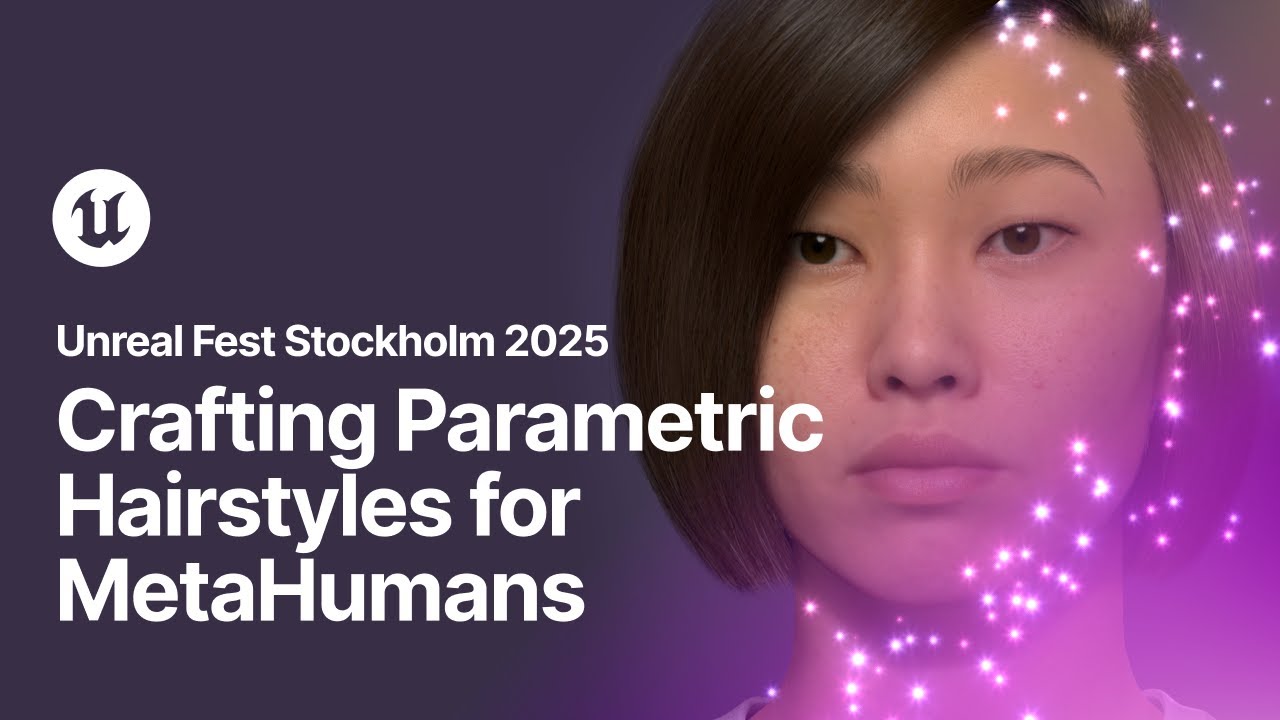
Hi everyone and thanks for being here today. I am Hugo Leniak, a Senar Groom artist and Groom Tools developer at Epic Games for Houdini Tools. Today I'll walk you through a new set of tools we developed in Houdini to simplify grooming workflows for MetaHumans. Our intention is to make hairstyle creation faster and more accessible to a broader range of artists. With the release of Unreal Engine 5.6, we have already introduced the MetaHuman Groom tools in Houdini. They are already available on FAB now and I invite you to find the online recording of my previous presentation at UFS Bali earlier this year for further information. These advanced grooming tools include generic quality of life tools for grooming, but also specialized tools for making braids, buns and cornrows, which are complex and time-consuming elements to make. Now we are introducing parametric workflows with the Parametric Hairstyle Generator tool. Why does this matter? often need a faster, more approachable way to block and iterate on hairstyles. The traditional grooming process can be slow and overly technical, especially if you're just trying to explore different styles quickly. The hairstyle generator tools make it easier to block, iterate and deliver grooms without manual labor or work. In short, it's about speed, flexibility and delivering high quality results with much less friction. What is a hairstyle generator? Here is a time-lapse of the tool at work. First, a follicle generator step handles density and positioning of the roots in a robust and non-destructive way. Second, our team has pre-authored and sculpted Groom data that provides flow and structure. Finally, the tool is made of a simple master controls for length, volume and variation in order to compute an advanced hairstyles by ingesting the follicles and pre-built Groom data. Editable presets will also be available to speed up blocking. And you will see very soon a first look at our custom groom imported inside MetaHuman Creator. So let me first show you a few examples of what is quickly achievable with a parametric system. On the left a side-potted groom with controlled directionality and on the right a tightly coiled style. Another two examples here, one focuses on volume and intricate texture, while the other highlights uniform strands and a defined silhouette. Because these grooms are fully compatible with MetaHuman, it is straightforward to use them across different MetaHuman characters once it loaded into MetaHuman Before we look at the tools in action and build a custom Groom as I speak here is a quick overview of what we'll see today. We'll start with the update of the MetaHuman Groom head HDA that is already available on Fab. From there we'll move to the parametric grooming and we will build a Groom at the same time. Next we'll look at the MetaHuman export and import processes and we'll also cover where to get the tools and what's coming next for the team. Let's start with the MetaHuman Groomhead tool update. The MetaHuman Groomhead tool was released on Fab with 5.6 and it's our entry point to import a MetaHuman head topology in Houdini for grooming. With Houdini 21 and the new MetaHuman creator ability to export DNA information via the DCC export from custom MetaHuman characters, we have now updated that tool for easier importing workflow. What is the Character Assembler tool? It's a tool that is our new streamlined solution for importing a complete MetaHuman asset into Houdini. It takes care of importing the MetaHuman DNA, meshes, textures and the rig for, you know, testing animation etc inside Houdini. Here, as you can see, when using the character assembler tool in Houdini 21, the MetaHuman head comes in with the rig and its controllers in place for testing the formations and previous setups. Then what does it mean for grooming workflow? It means that the MetaHuman Groomhead tool now provides a fast solution to import a custom MetaHuman head by simply pointing to the DNA folder that was exported with the DCC export from MetaHuman Creator. This setup allows artists to quickly import only what's required for grooming, custom MetaHuman. In this video here we are starting inside MetaHuman Creator where we export the MetaHuman data in just a few clicks using the DCC export option. We just have to wait for the export to be done and we can then move into Houdini. Drop a MetaHuman groom head node and load the custom MetaHuman head by just selecting the folder that was created during the MetaHuman Creator export, which contains all the information we need. As we already presented in the past, the MetaHuman Groom head node lets you remove unnecessary elements such as the eyes and provides subdivision controls on the head. It also comes with different outputs to isolate the scalp area or the face area, the entire head. It offers two different VDB outputs with and without ears for better collision controls. And as you can see the grooming head adapts to any custom DNA export and we can cycle through various skin and eye colors or using the textures that were exported from MetaHuman Creator. The Character Assembler capacities were also added to the MetaHuman Groom workspace node that is already available with 5 This node is the safe environment in which you want to be grooming for MetaHumans in Houdini. Its inputs and outputs provide a streamlined and safe workflow for MetaHuman ready grooming. Once it relies on the MetaHuman head tool, its options to initialize a new grooming head now comes with the ability to directly point to a DNA folder too, making it even faster to set up a grooming scene in Houdini 21. Now onto the parametric groom tools. Let's take 10 minutes on explaining the tools and creating a quick groom with it. How does this tool let artists build hairstyles without any manual grooming work? It comes with three fundamental parametric steps. The first one, handling follicles, helps to design the density of hair, as well as the shape and the position of its hairline around the head. The second step, handling guides, lets artists decide on the flow, the length and the volume of the hairstyle they intend to build. And the third one entails the interpolation of high density systems from the follicles and the guides previously designed in a very quick and simplified way, also providing oversimplified detailing options such as clumpiness and messiness in just a few clicks. Let's first focus on the follicles generation. In these few images, you can see a variety of densities and hairline shapes that the tool gives control on. So let's start building a parametric room by looking at the follicle generation step. Obviously the first thing you can do is changing the global density of your follicle system or changing it per region of the head. We also have additional options such as adding some balding to the hair. All options here are non-destructive to the smoothness and the positioning of the main follicle distribution and the hairline shape. Speaking of hairlines, we also have very quick accessible parameters for pushing forward or backward the forehead hairline, as well as switching between different variety of pre-designed shapes such as round or square or M-shaped hairlines for example. Now options exist for sideburns and temporals where you can choose the placement of it. The same applies to the nape area where you can choose between different shape types again as well as modifying the position of it. Finally, for this custom groom I want to control the smoothness distance around the ears because I intend to make a bus cut so this will help making a more natural transition of very short trimmed here with the skin in this zone. What is also possible on the tool is to display different debug modes where you can see what is happening on your follicle system. Here we see the amount of follicles being generated but also the different masking and densities that are being generated As you can see if I edit the balding for example the visual debug mask adapts to it Another thing that is important to note is that we have access to additional masking options for later detailing styling if we want. Now another important matter is we have control over the parking line and the regions of our hair system. As you can see here, I'm able to change the top region size, making it bigger or smaller. The same is possible for the other pre-designed regions around the head. I'm also able to move the parting line to the other side of the head, as well as deciding on how smooth or zigzaggy it is, for example, for an additional lateral look development. This will have an important direct impact on on the following step. This next step is the guide generation step. In these images, you can see the previously shown follicle examples associated with a variety of guide systems with different length, shape and styles, adapting to the hairline decided by the follicle generation step. How does it work? What you see here in this looping video is a selection of the pre-built Groom data that our team has been sculpting, feeding the hairstyle generator tool. Preserving our follicle count and distribution, we have a performance ability to dial through the Groom library data to quickly transition and mix between a huge variety of hair flows, length and volume at very low cost. So let's go back to our groom and let's actually build guides for it. By selecting the guide step on the tool, Hairstyle Generator automatically creates a new set of guides with right and left hand side regions shown in blue and red tones here. If I keep playing with the follicles parameter, I can for example keep editing the parting line side from left to right and the guides will re-adapt to it, rebuilding their flow with no issue. I will push the parting line that far for the style I'm aiming for. If we now go to the guides parameters dedicated tab, we can find very simplified sliders to change the guides length, volume and variation. It takes just a click on one slider to make a shorter version of the existing system. We can now dial through different short groom variations for larger variety and possibilities. I want to build an undercut buscut groom to show some length variation here so I'll go back to a longer global setting and playing with the long hair variation slider, I am looking for a style variation that I like. Alright, so this one is good. I'll remember this variation stage as I will probably use it later on. Another parameter the tool offers increases the volume of the groom, if we intend to make a more coily or more mohawk hairstyle for example. for example. Higher volume data also comes with its own set of variations too, so that will automatically be parametrically picked up with no additional action from users. It's always the same sliders to drive it all. Now let's go further and use the region-based parameters in a more advanced mode. I can quickly change the targeted hairstyle on the entire right ear side regions at once. I want to use a pulled back hairstyle. By using the advanced controls, I can now dial the length, the variation and the volume of each region independently. In order to create a bob hairstyle with an undercut buzzcut, I will now adjust the right ear side region's length to be very short and I will bring back the bob variation I liked earlier on the left ear side. Alright, now it's time to introduce guides blending. The guides of each region of the head are able to smoothly blend their length, variation and volume with neighbor regions but also across the parting line. As you can see here if I increase the length of the right ear side back, the neighbors readapt to it. Since I want to preserve a proper buzz cut here on the right here side I will deactivate the blending on this specific region. I want to push that hairstyle a bit further so I will also activate the bangs option. The top forehead region switches to a bangs dedicated system that is independent from the rest with its own length variation and volume controls. As a final tweak on the guides, I can easily tweak the slickness of the roots here, pushing them up or down to be slicker on the skin, as well as I could bend the tips inwards, outwards, going forward, backwards etc. if I wanted to. These settings are adaptive to the current guide system. Now I'm happy with this hairstyle so let's go to the third generation step. Let's create a high density and quality groom with a simplified hair interpolation and styling solution. As you can see when I switch to the hair generation step, the hairstyle generator is procedurally creating a high density strand system based on the follicles and the guides we've built earlier. Here in the hair parameters tab, I can adjust the look dev of the hair by easily changing the width and the color of it. But we can also quickly add up hair styling with extremely simplified parameters for adding clumpiness and messiness using a few sliders. There are options for messiness and cloppiness where you can increase the messiness of hair, adjusting the flyaways or the scraggle you want to let in and it's also easy to adjust the clumping to be bigger or smaller overall as well as changing its distribution or its waviness. Both clumping and messiness are automated and adaptive to the length of the hair which means very short hair will not get clumped or messed up the same way or with the same strength as the longest here Now I happy with this hair styling but I want to build a stronger asymmetrical bob style so I going to use one of the additional options here that is designed to create a custom bob cut on the fly. I can display a crop plane that I can adjust at will very easily and that will be used by the custom bob cut option to trim the groom based on it. Finer detail options can helps such as the hairline crop option designed to create nicer transitions with the skin along the hairline. It comes with options for customizing length shortening, smoothness and transition. As a final touch, I will use the built-in lattice tool by pressing enter in the viewport to activate the rig controls and move them around to adjust the hairstyle shape to something I prefer. This lattice rig is fully automated and will always conform to the current hairstyle, shaped with lots of influence controls too. Finally, one last fully automated step will automatically generate detail hairs, populating the parting and the hairline zones with feeding hairs that will help for more natural looking transitions with the skin without no additional action. Before we go and export our groom to Unreal Engine, I also want to quickly talk about the preset hairstyles. This will give users a quick entry point without having to start from the same default parametric settings all the time. What you see here is a sample of potential presets that the tool will provide as a starting point for even quicker workflow. Let's now go back to our groom and export it to Unreal Engine and MetaHuman. As presented during the previous UEFS talk, we have released a dedicated tool called the MetaHuman Groom Export. It provides easy and useful export options to create an Alembic file that is ready to be imported as a Groom asset in Unreal Engine. Let's look at how to do that next. Back to our Groom, now that I'm happy with it and I've linked the respective streams to the workspace outputs, I can simply go back to the object level of Wideny, create a metahuman groom export node, and it simply takes me to drag and drop my workspace into the dedicated source parameter to hook the groom components to it. At this point here I can do some color and attribute management as well as creating groups for technical setup and I can set a name for the Alembic file and save to disk. I now have a fully compatible and importable Groom file for Unreal Engine. The exported Alembic file created using the Groom export contains all the necessary strands and guides data correctly formatted as Unreal Engine expects it. Once imported in UE, that data becomes a Groom asset, ready for shading, level of detail and meta-human integration. You can see the result here on the left, the groom inside the Houdini viewport and on the right the same groom imported into meta-human creator in Unreal Engine At this point here the created Unreal Engine groom asset can be packaged up and sold or shared on FAB as a MetaHuman ready Groom asset Let look at how to create an Unreal Engine Groom asset from our newly created Alembic file. As we move into Unreal Engine the Groom plugin takes the Alembic file and converts it into a Groom asset. After importing the next step is to create a a binding asset which links the groom to a specific skeletal mesh. In this case we're using the head skeletal mesh of our preset MetaHuman called Aera on which we just built a groom for in Houdini. Once the groom is bound we make it MetaHuman compatible by configuring it as a wardrobe item. As you will see we will link the binding asset we just created and set the pipeline option to default groom, this procedure will integrate it into the MetaHuman system allowing it to be assigned just like any other groom asset. Next we are able to assign the groom directly into MetaHuman Creator interface by dragging in the new wardrobe item to the hair and clothing selection. And that's it, we have now completed our custom groom tour for MetaHuman and we have added our new groom to the Hale library for it so we can use it on any MetaHuman now. Here's a quick summary of the core ideas behind the Parametric Airstyle Generator. This system supports a fast round-trip between Unreal and Houdini. During this presentation we were able to export a custom MetaHuman to generate advanced and stylized groom from scratch while commenting and bring it back into Unreal Engine in about 10 minutes. Also worth noting, the complete workflow is designed to output fully compatible data to Unreal Engine groom asset requirements, reducing pipeline friction. Controls for grooming are extremely simplified through sliders and standard parameters. This helps new users to get started and allow experienced users to block styles quicker. The system provides a structured step-by-step output model that works well with existing grooming workflows already in place. Thanks to the hairstyle generator modularity, you could stop at any step like the guides generation step for example and manually sculpt the guides further to your liking using our advanced tooling or side effects tools or your own tools. You could then bring it back in a new hairstyle generator node that would take the original follicles and the new edited guides to compute simplified hair interpolation and styling step. Finally the tool is still evolving and will be released in an experimental state at first. It's being developed with flexibility in mind so it can continue to improve in speed, quality and creative capability over time. Major and critical changes may happen from an early version to another, so please give it a go and experiment with us, download and share the tool around and let us know what you think. Together these points define how the parametric hairstyle generator is positioned It can not replace manual expertise for very targeted hairstyle grooming but it fast it flexible it easy to integrate and it's still expanding. The goal is to support a range of user needs, from prototyping to production level ready grooming, with simplification as the core aspect. So where do we get the tools? The advanced grooming tools are already available for free as part of MetaHuman for Houdini, which you can find on FAB. Just search for MetaHuman for Houdini. Again, my previous presentation and the documentation are available online for further information. The parametric hairstyle generator, which we used throughout today's presentation, is a separate component. currently in advanced stages of development and is targeted to be released as an experimental release in the near future. Please be aware that if you have already downloaded MetaHuman for Houdini on Fab, you will receive a notification on the UE launcher or Fab when the parametric grooming tools are available as a new update for MetaHuman for Houdini. So it's worth it downloading loading it now. What's next? Before we wrap up, here's a look at what's coming next from our team. We are planning to introduce more ready-to-use presets to help artists create styles faster. These additions are for speeding up early look development and making our system more approachable without needing to start from scratch each time. Facial hair support is in development. These include tools for quality grooming of eyebrows, eyelashes, beards. The goal is to bring the same level of control we have for the hair on facial grooming. We're also preparing a more complex authoring example using the advanced MetaHuman grooming tools that we released with 5.6. It is not using the parametric tools, it's a detailed showcase for more advanced grooming workflows to take inspiration from. So it's a Houdini scene that you can download and look at how a complex groom has been done with our tools. Here it is, this project combines grooming techniques into a template built on a custom head. The style features braided elements in short sections that transition into a pulled back structure. So it's meant to demonstrate how the advanced grooming tools can be used for actual complex grooming and how it can also support more cinematic or realistic work. That wraps up the roadmap so one last time please go and download the tools and the groom project on FAB. For more hands-on info please come to me in in the MetaHuman area later. So thank you very much for joining me today. And I think we got some time for Q&A. Oh, let's do it. Thank you.